
AWS for Manufacturing: Cloud Migration and Modernization
For manufacturers, pressure to increase productivity, respond faster to supply chain disruptions and changing customer demand, and make greater use of operational data, automation, and AI is exposing the limits of aging on-premises infrastructure and driving migration to AWS.
Those strategic goals often collide with an immediate deadline: hardware or software reaching end of life, a data center agreement approaching renewal, a facility closing, or a recovery incident revealing the risks of aging infrastructure. What might have been a gradual modernization initiative quickly becomes a time-sensitive business decision.
Manufacturing environments also make migration unusually complex. ERP, Windows and SQL Server workloads, plant and warehouse systems, historical data, licensing, network connectivity, and production schedules are deeply interconnected. Each workload must be evaluated not only for whether it can run on AWS, but also for how moving it could affect latency, uptime, safety, and plant operations.
A successful AWS cloud migration gives each workload the right destination and migration sequence, preserving the local capabilities production depends on while creating a stronger foundation for modernization.
Key takeaways
- Manufacturing workload migration is rarely uniform. ERP, Windows and SQL Server environments, reporting platforms, backups, and historical data are often strong AWS candidates. PLCs, machine controls, and safety systems generally remain local, while MES, warehouse, historian, and supervisory systems require workload-specific decisions.
- A hardware refresh, expiring data center agreement, facility closing, or recovery concern often turns a long-term modernization goal into a migration project with a firm deadline.
- ERP, Windows and SQL Server workloads, business applications, and historical data are common AWS candidates, but their dependencies determine where they belong and when they can safely move.
- Production-critical workloads require phased cutovers, end-to-end business-process testing, and a rollback plan that accounts for data created during the transition.
- An assessment with cloud business case turns a broad cloud mandate into a plan for workload placement, sequencing, licensing, cost, and modernization.
Where AWS fits in a modern manufacturing environment
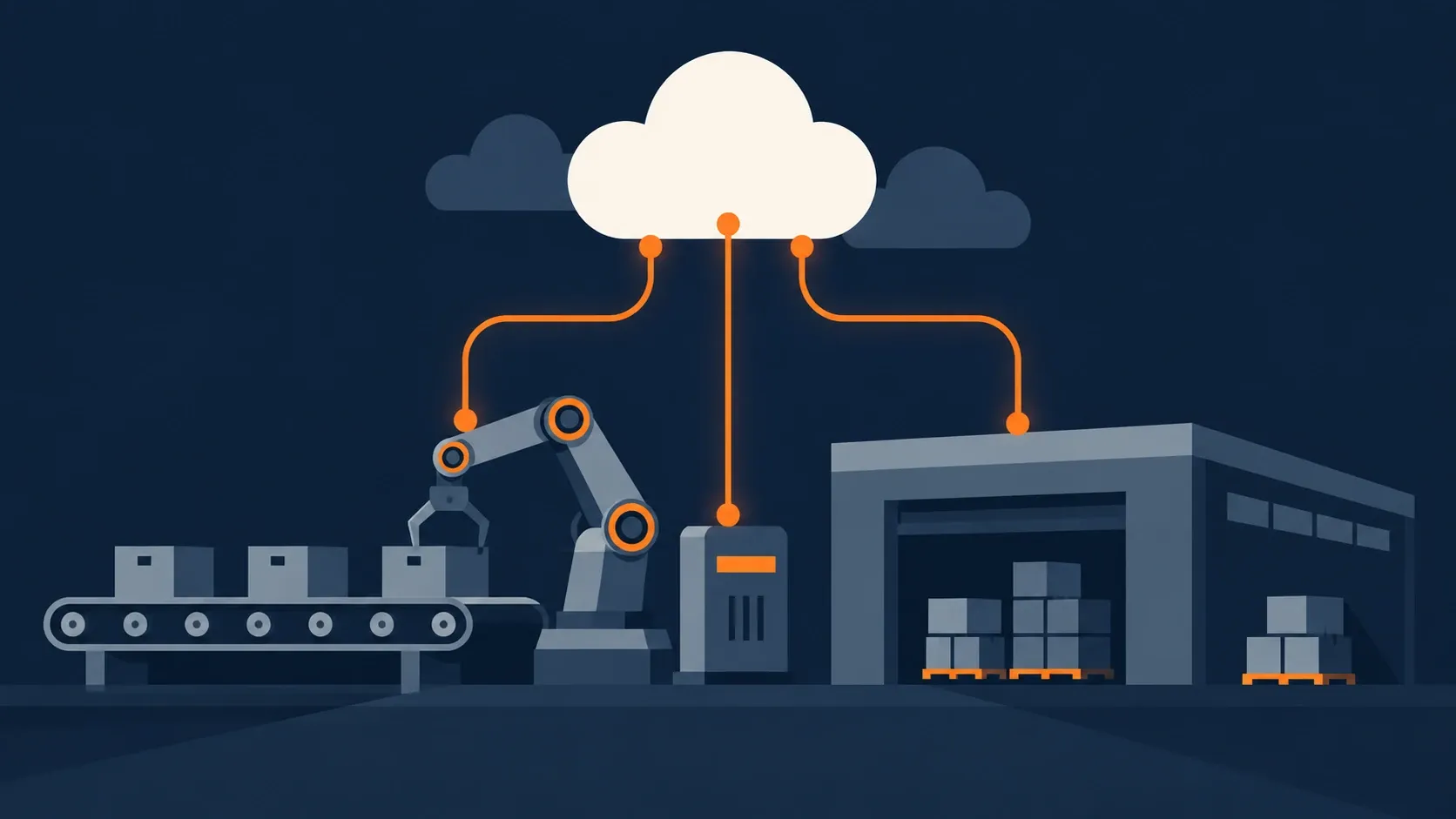
Moving to AWS does not mean moving an entire manufacturing operation to the cloud. For most manufacturers, the target is a hybrid architecture that assigns different responsibilities to AWS, edge infrastructure, and systems located within each facility.
Types of systems considered include manufacturing execution systems (MES), warehouse management systems, historians, supervisory systems, and the integration services connecting plants with enterprise applications. These workloads may run locally, at the edge, on AWS, or across a combination of environments depending on latency, resilience, vendor support, and operational requirements.
This hybrid foundation can help manufacturers consolidate data across facilities, scale analytics without expanding on-premises infrastructure, and support initiatives such as predictive maintenance, automated quality inspection, supply chain planning, and generative AI. It also allows modernization to move forward without introducing unnecessary dependencies into the systems responsible for keeping production running.
That balance is increasingly important as manufacturers invest in smart manufacturing. Deloitte’s 2026 Manufacturing Industry Outlook found that 80% of 600 manufacturing executives surveyed planned to direct at least 20% of their improvement budgets to smart manufacturing over the next three years, with cloud computing among the foundational investments.
What moves to AWS, what stays local, and how to decide
Once a hybrid model is established, the next challenge is deciding where each workload belongs. For manufacturers, workload placement should be based on production impact, latency, connectivity, dependencies, recovery requirements, vendor support, and licensing, not simply whether a system is technically capable of running in the cloud.
ERPs and connected systems
ERPs can be a strong candidates for AWS, particularly when aging infrastructure, limited scalability, or recovery requirements are creating operational risk. The ERP application itself, however, represents only part of the migration.
Manufacturing ERP systems commonly connect with MES, warehouse management, EDI, reporting platforms, scanners, supplier systems, and customer applications. Teams need to understand where each integration runs, how much latency it can tolerate, what happens during a connectivity interruption, and whether the software vendor supports the proposed AWS architecture.
Migrating an ERP without mapping these dependencies can disrupt processes far beyond the application, including production scheduling, inventory management, purchasing, and shipping.
Windows Server and SQL Server environments
Older Windows applications, SQL Server databases, AD dependencies, and file-based processes are also strong migration candidates, especially when the underlying operating systems or hardware are approaching end of support.
The application and its data may require different migration methods, however. In one industrial migration, Stratus10 moved BMT Scientific Marine’s Windows Server 2008 R2 workloads to Windows Server 2019 on Amazon EC2 while using AWS Snowball to transfer more than 75 TB of data. The BMT Windows and large-dataset migration illustrates why application compatibility, transfer time, and data volume must be planned separately.
SQL Server can be rehosted on Amazon EC2 very affordably, moved to a managed database service, or even modernized to another database engine. The appropriate path depends on application compatibility, licensing, availability requirements, operational capacity, and the amount of change the business can safely absorb. Our guide to migrating SQL Server to AWS examines these options in more detail.
Plant-floor control, MES, and warehouse systems
PLCs, machine controllers, safety systems, and other workloads requiring deterministic response generally remain close to the equipment they control. Moving a real-time control loop to a distant AWS Region could introduce latency and an unnecessary dependency on external connectivity.
MES, warehouse applications, SCADA supervisory components, and integration services require a more nuanced decision. Depending on the platform and operational requirements, they may run locally, at the edge, on AWS, or across a hybrid architecture. AWS provides specific guidance for modernizing manufacturing execution systems in the AWS Cloud.
A defining question we help clients address and understand is what happens if network connectivity is interrupted. A plant should retain the local capabilities required to operate safely and complete critical processes, whereas AWS can support centralized management, enterprise integration, analytics, and long-term data use.
Historical production data and archives
Production histories, quality records, engineering files, compliance evidence, and raw machine data can occupy aging storage long after they stop being used regularly. Moving this data to AWS can reduce dependence on aging storage systems and cut overall costs while also making selected information more accessible for traceability, quality analysis, reporting, and future AI initiatives.
A migration plan must account for total data volume, available bandwidth, transfer time, integrity validation, retention policies, and retrieval frequency. Active applications, frequently accessed production records, and long-term archives may each require different storage services and migration schedules.
When infrastructure deadlines accelerate the migration
Manufacturers may recognize the long-term value of cloud infrastructure well before migration becomes an active project. In practice, a hardware refresh, facility deadline, unsupported system, or recovery concern often turns a strategic direction into a funded initiative with a firm timeline.
Hardware and software reach end-of-life
When servers, operating systems, and business applications approach end of life together, manufacturers face a consequential choice: reinvest in the existing infrastructure model or use the required refresh to begin migrating to AWS.
The decision to renew or migrate should extend beyond the purchase price of new hardware. It should consider support contracts, software upgrades, backup infrastructure, recovery capabilities, expected growth, innovation and AI-related opportunities, and the internal effort required to operate the environment for another hardware lifecycle.
Prime Time International reached this point when its colocation agreement was approaching renewal while much of its hardware, software, and Windows Server 2008 environment required replacement. Stratus10 assessed the environment, developed a right-sized AWS cost projection, and recommended rehosting first, followed by modernization. The resulting Prime Time data center migration reduced the balance-sheet impact of the required IT refresh by more than $100,000.
Did you know? You can receive upfront capital investment for your hardware to help fund migration efforts. Learn about the Hardware Buyback Program.
A data center contract ends
An upcoming renewal or expiring data center agreement puts a fixed date on a migration. Infrastructure and application teams must inventory workloads, map dependencies, transfer data, test the target environment, and complete cutovers in time to exit the facility.
Manufacturing operations make that cutover schedule harder to compress. Dependent applications, plant connections, supplier integrations, and customer services may need to remain available throughout the transition, leaving little margin for discovering undocumented dependencies late in the project.
Advent Resources was already partway through its AWS migration when a data center closing deadline increased the urgency. The project ultimately migrated numerous VMs and 140+ site-to-site VPN connections while replacing manual infrastructure processes with an automated AMI pipeline.
Recovery risk becomes unacceptable
An outage, failed restore, breach, or similar close call can reveal how much production and business activity depends on aging infrastructure. For manufacturers, recovery planning must account for more than individual servers. Teams need to understand how long the business can operate without ERP, warehouse systems, shared files, reporting platforms, plant integrations, or access to production records.
AWS offers services for backup, replication, monitoring, and resilient architecture, but those capabilities still need to be designed, tested, and incorporated into operating procedures. Moving a workload to AWS does not automatically make it resilient. The migration is an opportunity to define recovery objectives, remove single points of failure, and verify that critical manufacturing processes can be restored within an acceptable timeframe.
Build a board-ready business case around cost, risk, and capability
A credible AWS business case should connect the migration to manufacturing priorities and separate the value into three categories:
- Avoided costs: Hardware refreshes, data center contracts, backup infrastructure, software support renewals, and the labor required to maintain aging systems.
- Reduced risk: Unsupported technology, untested recovery processes, facility dependencies, capacity constraints, and failures that could affect production, inventory, fulfillment, or customer commitments.
- New capabilities: Faster provisioning, stronger recovery, easier integration across facilities, and better access to operational data for analytics, automation, and AI.
The financial model must also include the cost of completing the migration. Licensing, connectivity, data transfer, temporary parallel environments, application remediation, testing, and ongoing management can materially change the comparison.
Stratus10 offers a free, in-depth AWS migration assessment designed to complete this work before a manufacturer commits to a migration. It combines technical discovery and dependency analysis with a right-sized AWS cost model, total cost comparison, migration roadmap, licensing considerations, and available AWS funding. The result is an executive- and board-ready business case built around the company’s actual environment, operating risks, and financial priorities.
Turn the migration decision into a workload-level plan
Once the business case establishes why to migrate, the next step is determining what moves, in what order, and through which migration path.
Assess applications, infrastructure, and dependencies
A manufacturing migration assessment should examine servers, storage, databases, applications, utilization, operating systems, network connections, backup processes, support status, security controls, and software licenses.
Infrastructure data alone is not enough. A lightly utilized server may support label printing, production scheduling, quality documentation, warehouse scanning, EDI, or another process that cannot be interrupted without affecting production or shipments.
Technical dependency mapping identifies how applications communicate and which databases, identity services, network connections, and file systems they require. Business dependency mapping connects those systems to facilities, production processes, teams, customers, and operating schedules.
The resulting plan should identify what moves, modernizes, remains local, retires, or requires further investigation. It should also define the AWS foundation, projected cost, migration waves, production constraints, and available funding.
Prioritize the first migration waves
The first workload should create useful learning without placing a critical production process at unnecessary risk. A lower-risk but representative application can help validate connectivity, security, monitoring, backup, deployment, and support procedures before more consequential systems move.
Prioritization should consider:
- Production and business impact
- Latency and offline operating requirements
- Application, data, and identity dependencies
- Infrastructure age and recovery risk
- Licensing and vendor constraints
- Data-transfer complexity
- Available maintenance windows
- Ability to test complete business processes
An aging, self-contained application may be a better first candidate than a newer system with deep ERP, MES, warehouse, or plant-floor dependencies.
Each workload also needs an appropriate migration path. Depending on the deadline and business priorities, it may be rehosted, replatformed, rearchitected, replaced, retained, or retired. A facility closure may favor rehosting first and modernizing later, while a less urgent refresh may provide time to make targeted platform changes during migration.
Account for Microsoft licensing
Microsoft licensing can materially affect the AWS architecture and projected cost, particularly when Windows Server and SQL Server licenses were acquired under different agreements over many years.
Manufacturers can use AWS-provided, license-included SQL Server options on Amazon EC2 or Amazon RDS. Eligible SQL Server licenses with active Software Assurance can also be brought to default-tenancy Amazon EC2 through Microsoft License Mobility. Certain licenses without active Software Assurance may qualify for use on EC2 Dedicated Hosts, subject to purchase-date, version, and agreement restrictions.
Windows Server follows different rules because it is not eligible for Microsoft License Mobility. Windows Server licensing is normally included with Windows instances on default-tenancy EC2. Bringing eligible Windows Server licenses to AWS generally requires EC2 Dedicated Hosts and is subject to license acquisition dates, software versions, and other Microsoft requirements.
The most cost-effective path depends on existing rights, SQL Server edition, instance sizing, host utilization, availability requirements, and upgrade plans. Licensing should therefore be evaluated before the team commits to a target architecture or cost projection. AWS outlines the current requirements in its Microsoft licensing FAQ.
Migrate manufacturing workloads without stopping production
Migration waves should follow the production calendar, not simply the technical dependency map. Shift schedules, batch processes, inventory updates, shipping deadlines, month-end activity, and seasonal demand can all affect when a workload can safely move.
Teams can build and test the AWS environment, establish plant connectivity, replicate data, and validate monitoring and recovery while existing systems remain operational. Lower-risk workloads can move first, allowing the migration process to be refined before production-critical systems are cut over.
Testing must extend beyond confirming that an application starts. Business users should validate complete workflows across connected systems, such as receiving an order, scheduling production, recording quality results, updating inventory, printing labels, and generating shipping documents.
Each cutover needs clear go/no-go criteria, named technical and business validators, escalation paths, and a tested rollback plan. That plan must account for transactions or production data created during the transition so that reversing the cutover does not introduce missing, duplicated, or conflicting records.
Some systems may still require a controlled interruption. Replication, phased cutovers, temporary parallel environments, and carefully selected maintenance windows can make that interruption scheduled and recoverable.
Prime Time International’s nearly continuous operations ruled out one large cutover. Stratus10 divided the environment into migration waves and completed the move in just over one month with minimal operational impact. The Prime Time data center migration shows how sequencing around the operating schedule can make a deadline-driven transition manageable.
Manufacturing modernization after the migration
A data center deadline may not leave enough time to redesign every legacy application. Rehosting can resolve the immediate infrastructure problem, with modernization following after the environment is stable. A targeted change during migration can still make sense when it removes a major availability, licensing, or management constraint.
SEACOMP provides a manufacturing example. The electronics manufacturer moved MySQL from a single EC2 instance to Amazon RDS for MySQL, adding managed backup and recovery, monitoring, scalability, and high availability. The SEACOMP database modernization shows how a focused platform change can reduce operational burden without requiring a complete application rewrite.
Modernization can later extend to application architecture, infrastructure automation, industrial-data pipelines, and analytics. Our application modernization services help organizations evaluate those paths.
Start with a board-ready migration plan
If aging infrastructure, renewal deadlines, or pressure to innovate, are forcing a decision, begin with a free AWS migration assessment. Stratus10 will evaluate the environment, model the financial case, identify available AWS funding, and produce a board-ready roadmap showing what should move, what should remain local, and how to complete the migration around production.
Recent Posts


Newsletter Sign Up
Frequently asked questions about AWS for manufacturing
ERP, business applications, Windows and SQL Server workloads, development environments, reporting platforms, backups, and historical data are frequent candidates. Suitability depends on application dependencies, latency, vendor support, licensing, recovery requirements, and business impact.
Yes, some MES platforms can be hosted or modernized on AWS. The appropriate architecture depends on vendor support, plant integrations, connectivity, availability requirements, and the local capabilities needed during a network interruption.
Map business and technical dependencies, group workloads into migration waves, replicate data before cutover, test plant connectivity, define go/no-go and rollback criteria, and validate complete business processes after each move. Some interruption may still be necessary, but it can be scheduled and controlled.
It depends on the deadline and the risk of making both changes together. Rehosting may be appropriate when a facility exit or end-of-life event creates urgency. Targeted modernization during migration can make sense when it removes a significant availability, licensing, or operational constraint.
An assessment is useful before committing to a budget, architecture, or migration timeline, especially when a hardware refresh, data center deadline, unsupported software, recovery risk, or uncertain Microsoft licensing is forcing a decision. It should identify what moves, what remains local, how workloads depend on one another, what the target environment will cost, and how migration waves can be scheduled around production. A free AWS migration assessment can provide that workload-level plan before the larger project begins.
Further Reading
New to cloud migration planning? Start with Cloud Migration 101: What Migration to the Cloud Involves for an overview of assessment, planning, migration, validation, and optimization.
Evaluating what comes after rehosting? Explore Application Modernization Pathways for database, container, serverless, and Windows modernization approaches.
Considering a long-term hybrid environment? Read Controlling Data Center Costs with a Hybrid Cloud Strategy for options that combine AWS with retained on-premises infrastructure.
Planning a large archive migration? See how Ricardo developed an Amazon S3 archive strategy for data distributed across more than 20 global sites, including logging, overwrite protection, and storage lifecycle policies.
Sources
- Deloitte, 2026 Manufacturing Industry Outlook
- AWS, Manufacturing
- AWS Prescriptive Guidance, Modernizing Manufacturing Execution Systems in the AWS Cloud
- AWS, Microsoft FAQ (accessed September 10, 2026)
- Flexera, 2026 State of the Cloud Report