
Microsoft Workloads on AWS

Microsoft Strategy & Delivery
Microsoft Workloads on AWS
Plan the right path for Windows Server, SQL Server, .NET applications, and connected Microsoft services. Stratus10 brings infrastructure, databases, application modernization, and DevOps together to migrate what makes sense, modernize where the return justifies it, and prepare your team to operate on AWS.
AWS-validated delivery expertise
Windows Server, RDS, migration, and DevOps
Migration and modernization options
Choose the right path for each workload
Operational handoff
Documentation, runbooks, and knowledge transfer
Request a Microsoft Workloads Strategy Assessment
Tell us about your Microsoft environment and current priorities.
Choose the right path for Microsoft workloads
Each Microsoft workload calls for a strategy matched to its architecture, business role, and lifecycle. A stable Windows application may be ready for a direct migration, while another may benefit from a managed database, an updated .NET runtime, or a phased modernization plan.
Stratus10 evaluates the applications, databases, dependencies, licensing, performance requirements, and delivery processes involved. We then design and implement a practical path that improves cost, resilience, security, and the team’s ability to manage change.
When Microsoft workloads need a new operating model
Organizations often revisit Microsoft workloads when current hosting, licensing, or application constraints begin to limit the business. Common triggers include:
- Windows Server or SQL Server versions are approaching end of support.
- A data center contract, hardware refresh, or software renewal is approaching.
- Microsoft licensing costs are difficult to predict or optimize.
- Remote or global users need better availability and performance.
- Patching, environment provisioning, or deployments require too much manual work.
- A .NET application is difficult to scale, release, or maintain.
- The current environment lacks tested recovery and operational automation.
Microsoft Workloads Strategy Assessment
The initial Microsoft Workloads Strategy Assessment is provided at no cost. It identifies viable migration and modernization paths, establishes an initial business case, and determines which AWS funding programs may apply.
For Windows Server and SQL Server estates, the assessment can incorporate a complimentary AWS Optimization and Licensing Assessment (AWS OLA). This analysis connects actual utilization, dependencies, licensing, readiness, delivery processes, and risk to a phased strategy.
What we evaluate
- Windows Server, SQL Server, .NET, identity, and file-service inventory
- Application and data dependencies
- CPU, memory, storage, and network utilization
- Microsoft licensing and renewal considerations
- Migration readiness, modernization candidates, and delivery constraints
What you receive
- Right-sized AWS architecture options
- Total cost of ownership (TCO) analysis
- License-included and bring-your-own-license scenarios
- Prioritized migration, modernization, and DevOps opportunities
- A business case and path to available AWS funding
What AWS makes possible for Microsoft workloads
Microsoft workloads do not have to be completely rebuilt to benefit from AWS. Windows Server and SQL Server can move with minimal change, shift to managed AWS services, or be modernized to reduce licensing dependencies and operational overhead.
Move Windows workloads with minimal disruption
Rehost physical, virtual, or cloud-based Windows servers on Amazon EC2 while preserving application compatibility. AWS Transform MGN supports continuous replication, testing, and planned cutovers with minimal downtime.
Reduce SQL Server management overhead
Move SQL Server to Amazon EC2 when the application requires greater control, or use Amazon RDS for SQL Server to reduce routine database administration. Licensing, availability, performance, and compatibility determine the right destination.
Modernize .NET applications selectively
Update legacy .NET Framework applications to supported, cross-platform .NET where the business case justifies it. Applications can then run on Linux, containers, serverless services, or another AWS architecture that reduces dependence on Windows licensing.
Modernize the application and database together
When a .NET application depends heavily on SQL Server, Stratus10 can evaluate the application code, database schema, stored procedures, and deployment model as one modernization effort. AWS Transform can help accelerate this coordinated work.
Automate application delivery
Implement CI/CD workflows that build, test, scan, package, approve, and deploy Microsoft applications consistently. Delivery automation helps development teams use the new AWS architecture safely and release changes more efficiently.
Improve workload operations and recovery
Establish repeatable processes for monitoring, patching, backup, recovery, and configuration management. The operating approach is designed around the Microsoft workloads included in the project and the team responsible for them.
AWS reports that its Optimization and Licensing Assessment can provide 60% greater license efficiency than comparable on-premises environments.
How a Microsoft workloads engagement works
Assess workloads, dependencies, and licenses
Stratus10 begins with a complimentary assessment of the Microsoft environment. We document application and data dependencies, review utilization and licensing, and identify the technical or operational constraints that will shape the project.
Design the target architecture and project plan
The team compares migration and modernization paths, develops the business case, and defines the target architecture, delivery sequence, testing, cutover, and rollback requirements. Stratus10 also identifies applicable AWS funding and incentives.
Migrate, modernize, and validate
Stratus10 builds the agreed AWS foundation, moves or modernizes application and data components in planned phases, and implements the delivery automation required by the target architecture. Testing validates performance, security, resilience, and business functionality.
Transition and optimize
The project concludes with documentation, runbooks, knowledge transfer, and a prioritized improvement plan. Internal teams receive hands-on guidance for operating the new solution, and Stratus10 can coordinate additional AWS learning resources when helpful.
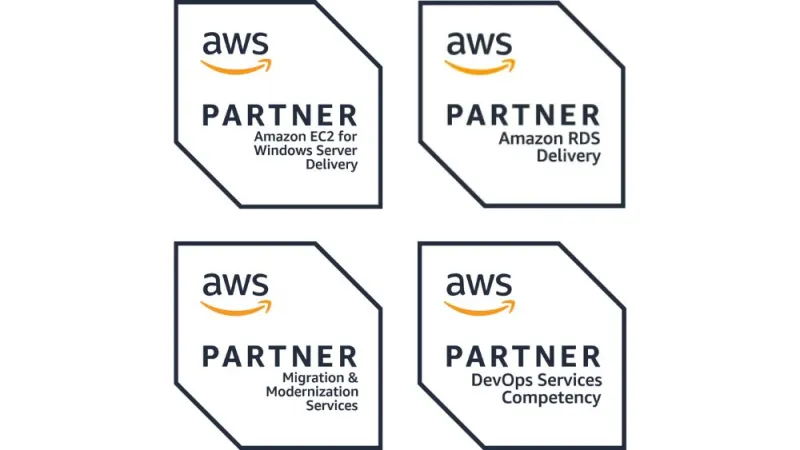
AWS-validated expertise across Microsoft workload projects
Stratus10 holds AWS specializations spanning Migration and Modernization Services, Amazon EC2 for Windows Server, Amazon RDS, and DevOps.
Together, these credentials support projects that cross infrastructure, Microsoft databases, application delivery, and modernization on AWS.
Keep your team at the center of the migration
The people who understand your Microsoft applications and business processes remain essential throughout the project. Stratus10 involves internal IT staff in discovery, architecture decisions, testing, cutover, and operational handoff so they can manage the new AWS environment with confidence.
Knowledge transfer built into delivery
Documentation, runbooks, and hands-on walkthroughs support the transition. When broader AWS training would help, we can coordinate relevant AWS learning resources or Immersion Days.
Selected Microsoft workload results
From monthly releases to multiple deployments per day
Learning Upgrade moved its .NET application to a highly available AWS architecture with Amazon RDS for SQL Server and an automated CI/CD pipeline. The new delivery process increased release frequency from once a month to multiple times per day.
More than 75 TB transferred during a Windows Server modernization
BMT Scientific Marine moved Windows Server 2008 R2 virtual machines to Windows Server 2019 on Amazon EC2 and transferred more than 75 TB with AWS Snowball. A reusable golden image simplified deployment as new clients were added.
62% lower cost after migrating Windows application servers
GB International moved Windows application and web servers from multiple data centers to a secure, highly available AWS environment across Regions. Automation supported scaling, IP reassignment, and operating system patching.
Data center exit completed in just over a month
Prime Time International migrated an aging, primarily Windows-based environment to AWS with minimal business disruption. The move avoided more than $100,000 in refresh impact and shifted IT spending from a capital model to operating expense.
FREQUENTLY ASKED QUESTIONS
AWS supports several paths for Microsoft workloads, from running familiar Windows Server and SQL Server environments to modernizing .NET applications and reducing commercial licensing dependencies. AWS reports that customers can save up to 77% on Windows Server licensing and 45% on SQL Server licensing through an AWS Optimization and Licensing Assessment. Actual savings depend on utilization, architecture, license entitlements, and the selected modernization path.
Common Microsoft workloads on AWS include Windows Server, SQL Server, .NET applications, Active Directory, Windows file services, and connected application components. Depending on the workload, it can be rehosted with minimal change, moved to a managed AWS service, or modernized to reduce licensing and operational dependencies.
The assessment can incorporate an AWS Optimization and Licensing Assessment to review measured infrastructure usage, application dependencies, and eligible licensing approaches. It models right-sized AWS resources and develops a total cost of ownership analysis for the specific environment.
Yes. Depending on the application, modernization may include updating the .NET runtime, moving to Linux, containerizing components, adopting managed databases, or refactoring selected services. The work can be phased around business and technical priorities.
DevOps provides the repeatable process for building, testing, scanning, packaging, and deploying application changes. When a .NET application or its AWS architecture changes, updated CI/CD pipelines and deployment controls help the team use the new platform safely and release improvements more consistently.
The recommendation considers application dependencies, remaining useful life, licensing, operating cost, release constraints, risk, business value, and the effort required to change the application. A workload may be rehosted, replatformed, modernized, retained temporarily, or addressed through a phased combination of approaches.
Internal IT staff participate in discovery, design decisions, testing, cutover, and handoff. Stratus10 provides project documentation, runbooks, and hands-on walkthroughs, and can coordinate relevant AWS training or Immersion Days when broader instruction would be useful.
Begin six to twelve months before a fixed deadline such as a Microsoft license renewal, hardware refresh, data center exit, or end-of-support date. That lead time allows the team to measure actual utilization, identify dependencies, evaluate licensing alternatives, pursue AWS funding, and test modernization options before the deadline limits the available choices. A focused workload may move faster, while a larger or highly connected environment can require a year or more.
Build a practical strategy for your Microsoft workloads
Compare migration, modernization, licensing, DevOps, and operational options before committing to a project path. The assessment can also identify relevant AWS funding and incentives for the next phase.
Request a Microsoft Workloads Strategy Assessment
Start with a senior review of your environment, constraints, priorities, and available options.